How to connect your finances to ChatGPT
Add Hundo to ChatGPT as a custom MCP server and ask it about your own money. It needs Developer mode, which is the one real hurdle, and everything after that is automatic.
To connect Hundo to ChatGPT, turn on Developer mode in Settings → Security and login, add a plugin at chatgpt.com/plugins with the server URL https://hundo.finance/mcp and OAuth authentication, then sign in with Hundo Finance and click Approve.
ChatGPT can read your net worth, accounts, budgets and holdings, and draft changes you approve - from your own ledger.
Setting it up takes one more step than Claude does, and it is worth knowing why before you start.
Why does ChatGPT need Developer mode, and is it safe?Link to this section
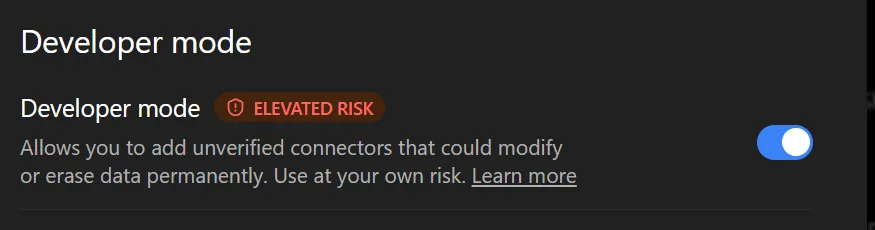
ChatGPT keeps custom MCP servers behind Developer mode, and turning it on shows an "elevated risk" badge.
That badge is honest, and it is not really about Hundo. It means you are adding a server OpenAI has not reviewed, and from OpenAI's side any such server could do anything. The judgement it is asking you to make is whether you trust the server you are adding - so decide that on Hundo's terms, not on the badge's.
What Hundo's side of that looks like: read tools that cannot change anything, change tools that only ever draft a proposal, and exactly one tool that writes, which runs only after you approve the draft in the conversation. The full list is on the setup page.
If that trade is not one you want to make, Claude does not require this step.
What do you need before you start?Link to this section
You need a Hundo account with real data in it, and Hundo Pro. Connect an empty account and everything will work while telling you nothing, so put a few weeks of transactions in first.
The server URL is the same for everyone, and nothing in it identifies you:
https://hundo.finance/mcp
Turn on Developer modeLink to this section
- Open Settings.
- Go to Security and login and find the Developer mode section.
- Turn Developer mode on.
Add the serverLink to this section
- Open the plugins page at chatgpt.com/plugins.
- Click the + button at the top right, next to the search box.
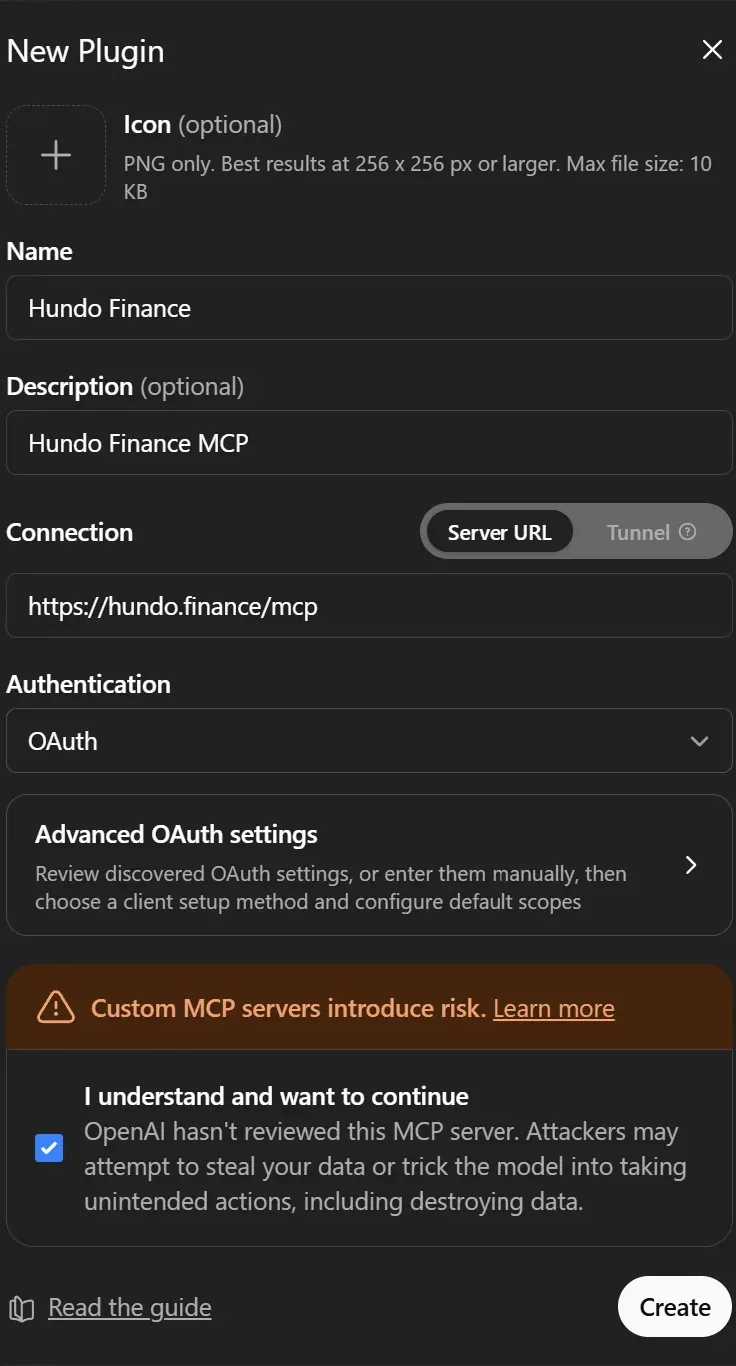
- Fill in the form:
- Name:
Hundo Finance - Description:
Hundo Finance MCP - Connection: leave it on Server URL (not Tunnel) and enter
https://hundo.finance/mcp - Authentication:
OAuth
- Name:
- The advanced OAuth settings fill themselves in.
ChatGPT reads them from Hundo's discovery document, so the auth, token and registration URLs, the scopes and the registration method all arrive on their own. You do not need to touch any of it, and there is no key to paste.
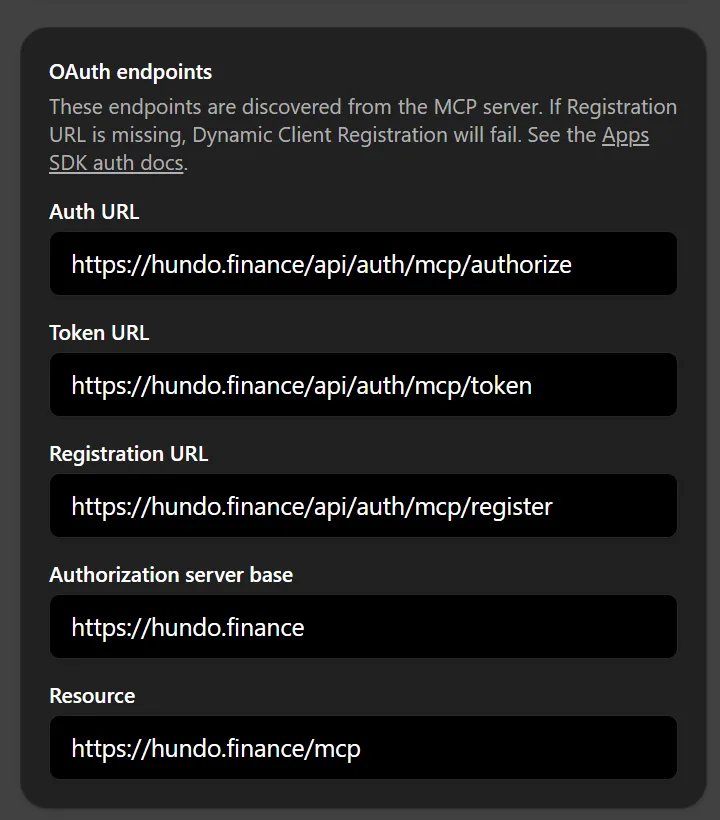
- Two orange notices appear next to those settings: OIDC unavailable and CIMD unavailable.
Both are expected, and neither is a problem. They describe optional extras Hundo does not advertise, and the connection does not need either.
- Tick I understand and want to continue under the custom-server warning, then click Create.
- A card appears: Add Hundo Finance to ChatGPT. Click Sign in with Hundo Finance.
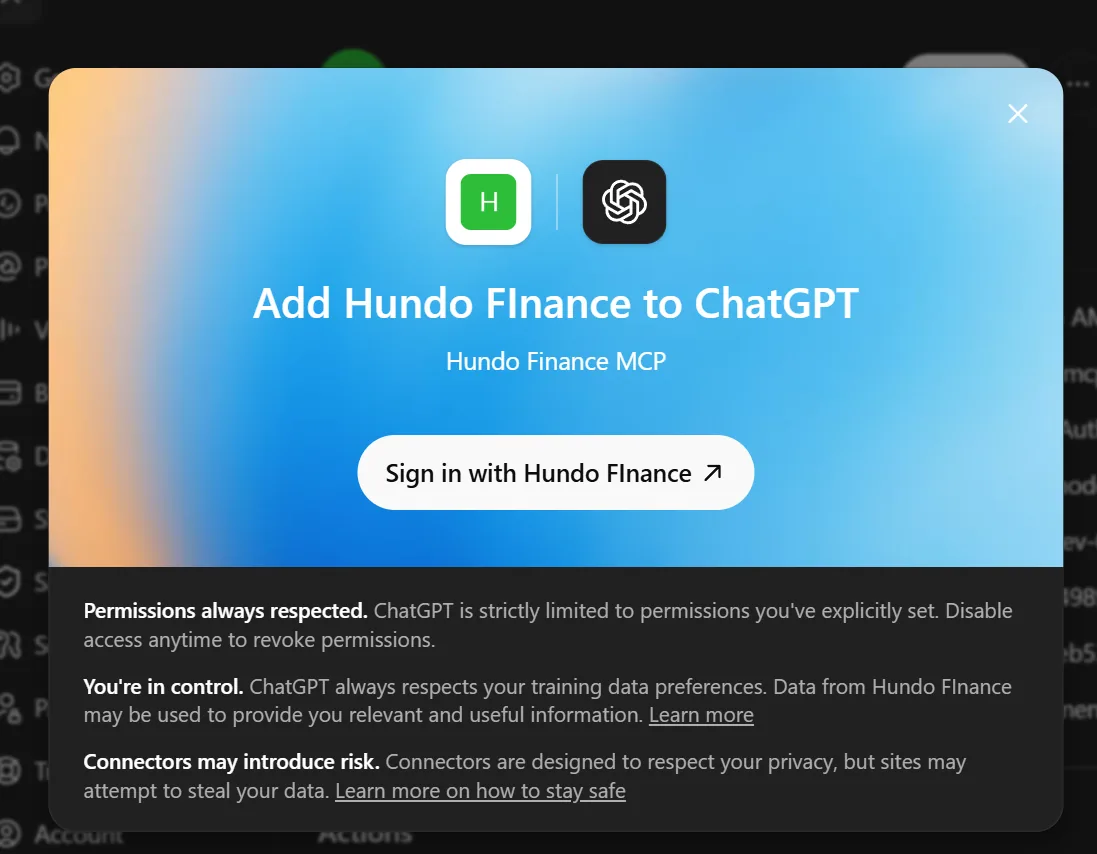
- You land on Hundo's approval screen. It lists what you are granting: read your financial data, and draft changes that can only be committed after you approve each one. Click Approve.
- ChatGPT confirms the connection.
Check it workedLink to this section
Ask for something only your own ledger could answer:
Give me a detailed report of last month's finances and some suggestions, based on the data from Hundo.
If your real numbers come back, you are connected.
What can you ask ChatGPT about your finances?Link to this section
Which category did I overspend in every month this quarter, and by how much?
My net worth went up last month. How much of that was saving, and how much was the market moving?
Log the 24 euro dinner last night to Food.
That last one is a two-step move on purpose.
ChatGPT calls a propose_* tool, which returns a draft and writes nothing.
You say yes.
Only then does it call confirm_proposal, and only then does your ledger change.
An unconfirmed proposal expires by itself.
More questions, and how to check an answer, are in questions worth asking an AI about your own spending.
What if it does not work?Link to this section
No Hundo tools appear. The server is added but not authorised. Reopen it and finish the sign-in and approval - it is the step people skip.
A message about Hundo Pro. The connection is fine and the plan is not. Connecting an outside AI is part of Pro; the tracker itself stays free and uncapped.
The OAuth panel does not populate.
Check the URL is exactly https://hundo.finance/mcp with no trailing slash, and that Connection is set to Server URL rather than Tunnel.
Does Hundo give ChatGPT your bank login?Link to this section
No. Hundo has no bank connection and never asks for banking credentials, so there is nothing of that kind to hand to ChatGPT. What ChatGPT can read is what you recorded - entries picked from your usual ones, typed, photographed, forwarded or imported - and anything it drafts waits for your confirmation.
Menus move. Where a step here disagrees with what you see, ChatGPT's own documentation is the authority; the part that is Hundo's - the URL, OAuth, and the propose-then-confirm rule - is what stays put.
Common questionsLink to this section
Do I need Hundo Pro to connect ChatGPT?Link to this section
Yes. Connecting an outside AI to Hundo is part of Pro, and the tracker itself stays free and uncapped.
Is it safe to turn on ChatGPT's Developer mode for Hundo?Link to this section
The "elevated risk" badge means you are adding a server OpenAI has not reviewed, so the real question is whether you trust the server you are adding. On Hundo's side, read tools cannot change anything, change tools only draft a proposal, and exactly one tool writes, only after you approve the draft in the conversation.
What do the OIDC unavailable and CIMD unavailable notices mean?Link to this section
Both notices are expected, and neither is a problem. They describe optional extras Hundo does not advertise, and the connection does not need either.
Can ChatGPT change my Hundo data?Link to this section
Only in two steps: ChatGPT calls a propose_* tool, which returns a draft and writes nothing, and only after you say yes does it call confirm_proposal and change your ledger.
An unconfirmed proposal expires by itself.